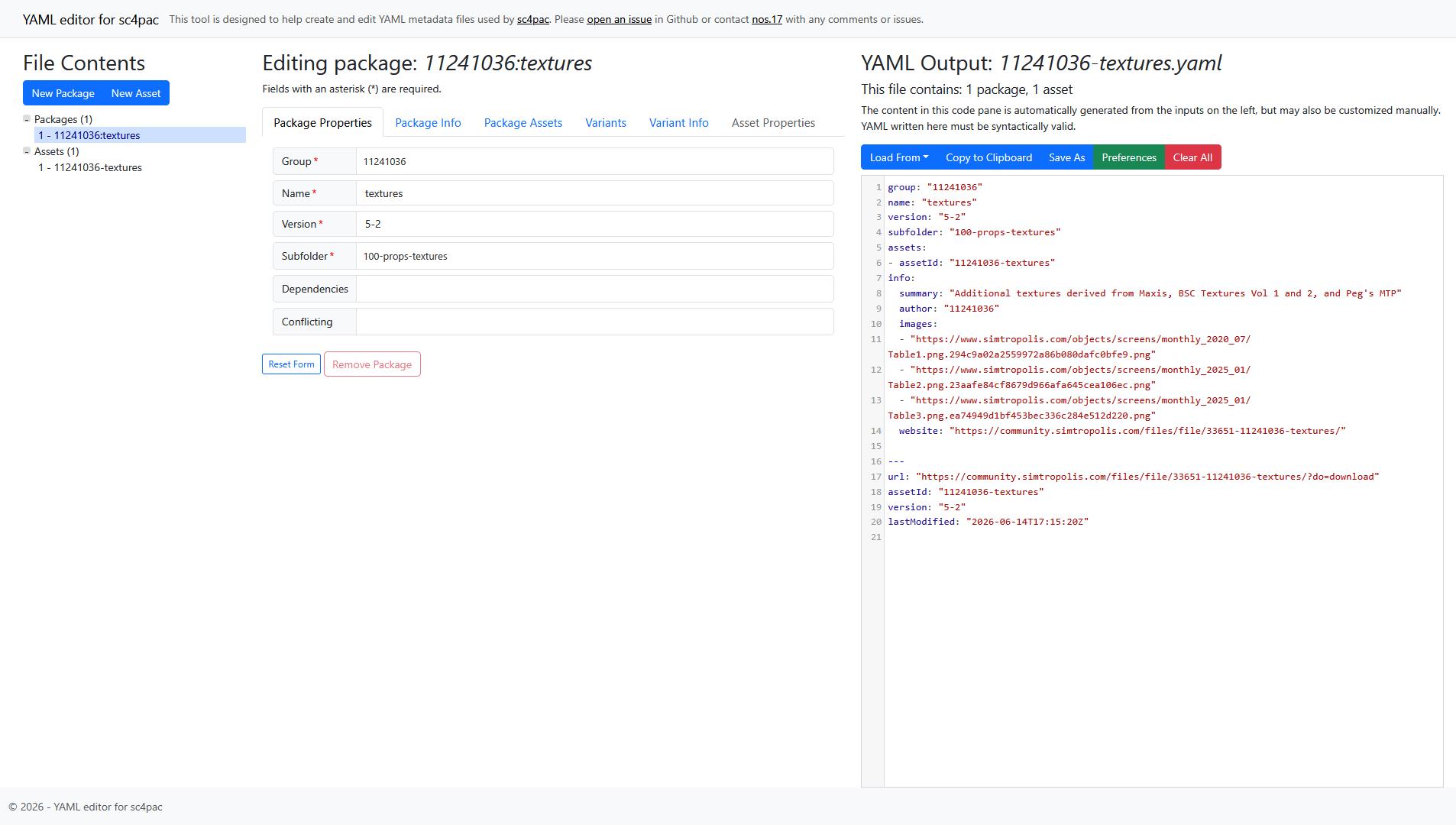
The SimCity 4 Prop + Texture Catalog (source) is a listing of prop and texture dependencies which lotters may use to help choose assets to use on their lots. The prop and texture catalog was first conceived by SC4Devotion admin Jmouse and posted to SC4Devotion between 2011 and 2012.
While useful, the original version was quite limited in scope. I laid out some of my ideas for a much more expanded catalog and its potential uses in a a post at Simtropolis. The idea centered around a methodology to index and catalog all content ever uploaded to public exchanges. This had the potential to make fetching and updating mods much easier for newer players, or players who just want to play the game do not want to spend the vast amount of time it can take to acquire the mods they want to use. This scope was quite broad and I settled on narrowing the scope a bit to focus on two use cases:
- For lot creators - I could provide them an interface for looking for different and better content to incorporate into their work. Looking for a motorcycle to add to your lot? Then filter only prop packs that contain vehicles and/or motorcycles. Looking for seasonal trees? Look through all packs that contain seasonal trees until you can find the right ones.
- For players - If you are playing with mods and load into the game without an asset the game is expecting, you will be presented with a dialog box listing the missing assets. However, it only presents you with a list of IDs that are generally not at all helpful to a player. Using this tool, a user can input that ID number and have a chance of finding the file that ID belongs to.
The current version is hosted online at https://sc4proptexturecatalog.net/.
Early versions : HTML & JS (2021 | versions 1.x.x - 2.x.x)
The first versions of the catalog were entirely HTML and Javascript based, serving fixed images. The first option allowed users to see the contents of a dependency pack at one time. Each prop or texture pack is represented by a collage of small thumbnails of all items in the pack.
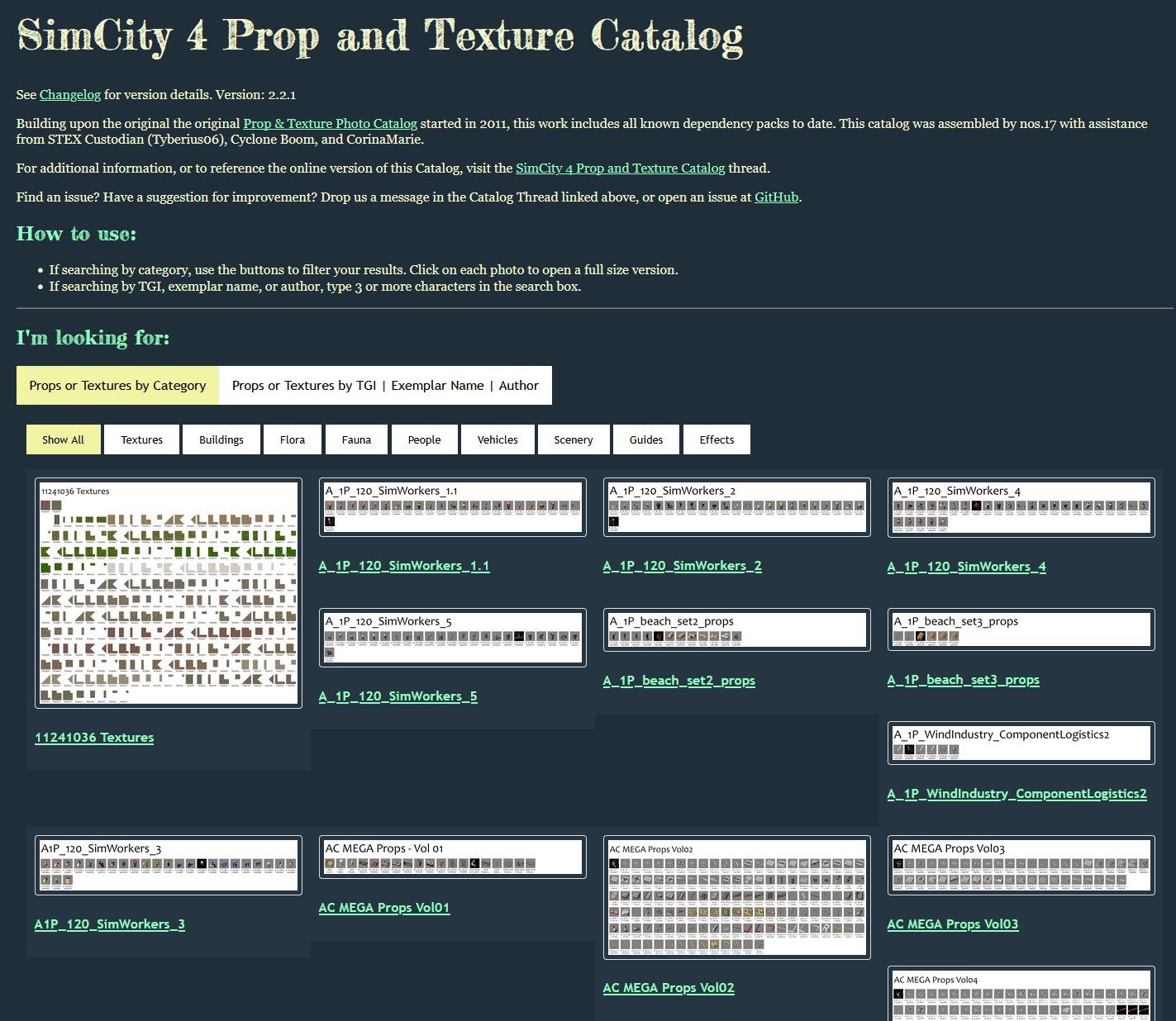
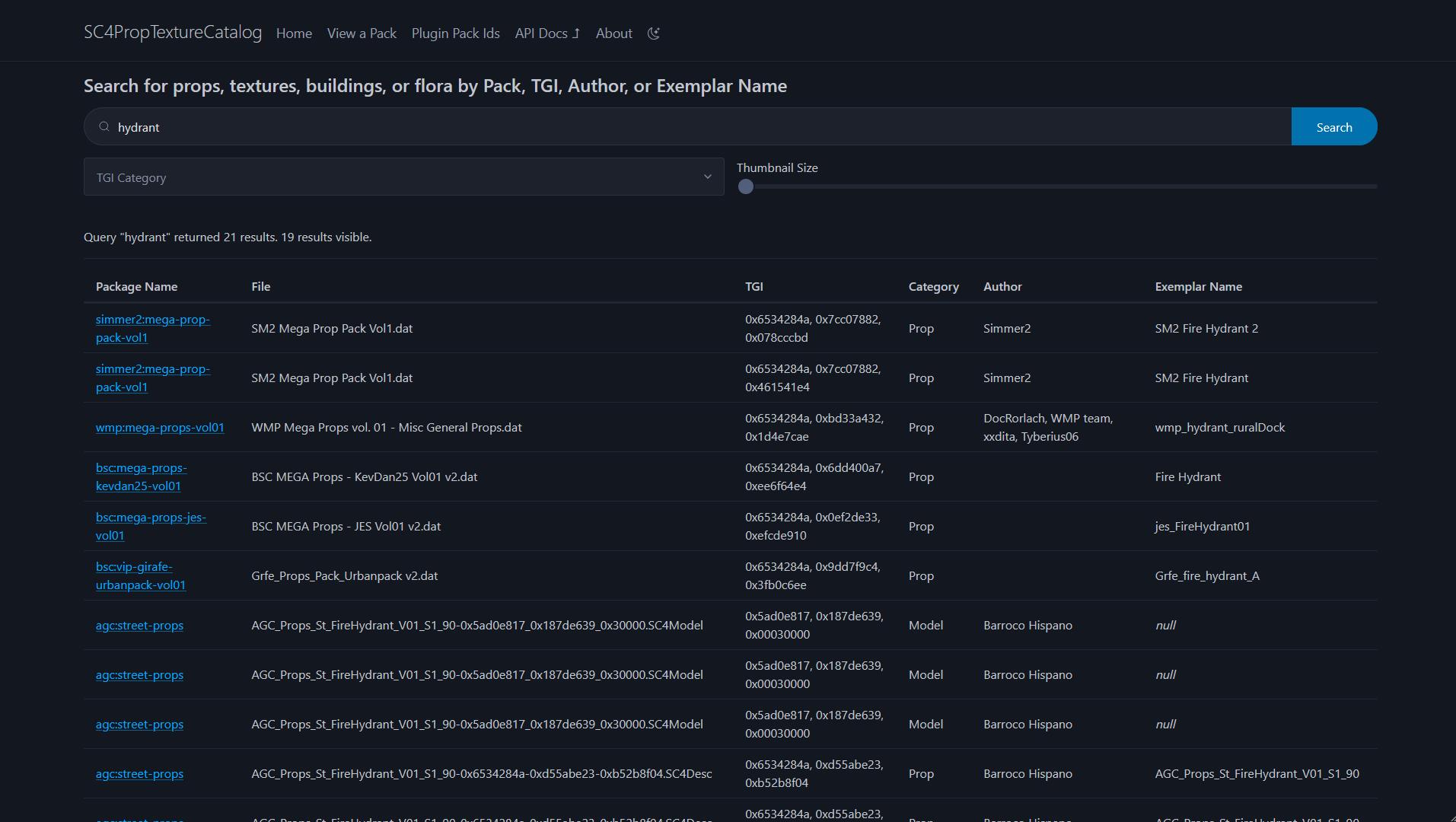
The second feature was a searchable database where users could search for the name of a specific prop, a prop's TGI (a unique identifier used by SimCity 4), or the author who created the prop. Each item in the "database" is a row in the main HTML table, and the page used Javascript to show and hide rows based on a user search query. This was my very first experience with Javascript, so the interactivity was very basic.
Later versions : SQLite (2023-2025 | versions 3.x)
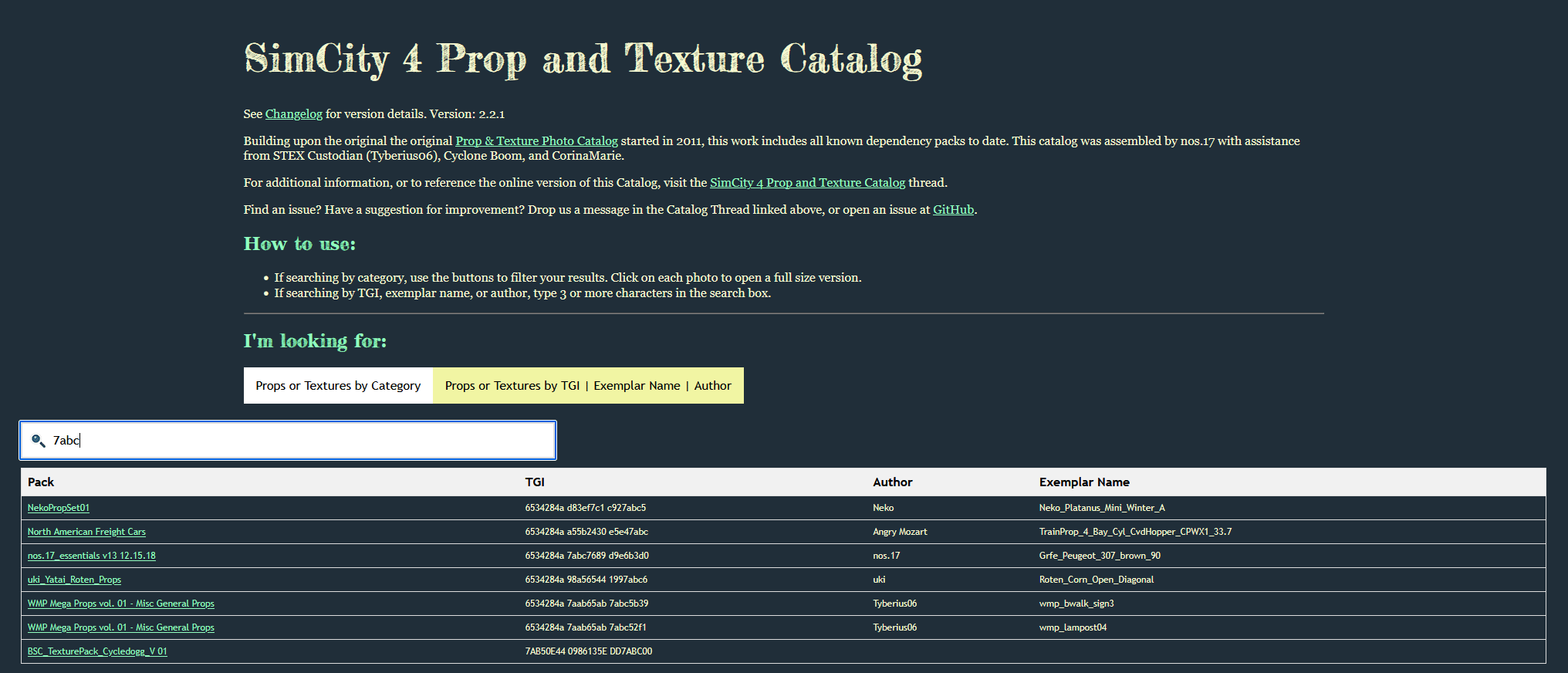
As the size of the catalog grew past 50,000 items, the performance of the JavaScript solution began to degrade. I wanted to add more missing content into the catalog, and realized I needed a better solution capable of handing hundreds of thousands of records, or more, so a proper database was required. I settled on using SQLite for the database since it is lightweight, it doesn't require a complicated setup procedure if a user wanted to view the database offline, and it is a very ubiquitous technology making it easy to find help online when learning. In addition, I found sqlite-net, a very nice library which made it easy to interface with SQLite files from C#, a language I was already familiar with. Using code I had previously created as part of my csDBPF library, I began ingesting the data from the 600 or so different dependency files into the catalog.
I now needed a way to interface with the SQLite database. At this time, I had very little familiarity with Javascript and was foolishly opposed to learning it, so I settled on using an ASP.NET website with Blazor, where I could use C#. Despite the initial learning barrier of ASP.NET and web requests in general, the 3.x versions debuted the new ASP.NET front end interface. The server and site were hosted with an Azure App Service. The 3.x redesign resulted in far better performance when querying, especially with queries that return thousands of rows, and far more flexibility and options for implementing other user features like filters and more advanced queries.
Latest version : API (2025+ | versions 4.x)
I continued to expand the content included in the catalog, and while the performance of the catalog itself was fine, the management of the DBPF files used as the source of the catalog became more and more unwieldy. In my setup for the 3.x version, I needed to acquire every prop and texture dependency file, manually maintain a separate index of metadata about each (author, categories, information about contents), and keep organized in a specific naming convention within a folder. The metadata index took the form of a large Excel spreadsheet that was tedious to update; keeping up with changes as authors released new dependency packs or updated existing packs was very difficult.
Around this time, sc4pac, a package manager for managing and installing plugins, was created. The important bit is that when sc4pac installs content, it downloads the assets into a cache folder. Instead of managing a folder with all the dependency files myself, I could leverage the contents of this folder plus the JSON metadata that sc4pac uses for the catalog. Using the sc4pac metadata and file cache allows me to access a much wider variety of files, finally permitting expansion of the catalog from indexing only dependencies to indexing all files, while keeping up with new versions and updates automatically.
The first step involves extracting the assets from the sc4pac which come as zip files. These are stashed in a separate folder for reuse between catalog builds. Next, I use the sc4pac CLI commands to build the channel metadata, converting the YAML metadata to JSON which is much easier to process. Using my csDBPF library, I process the TGIs in each file, and use the sc4pac metadata to associate a version, author, url, and other information about each file. This information is stashed in an SQLite database.
The expansion of the Catalog outside of hosting just prop and texture dependencies immediately raised the usefulness of incorporating the catalog data into other tools too. One of the first uses proposed would augment a series of scripts to fully automating dependency tracking in the Simtropolis sc4pac channel when creating new metadata. The potential varieties of projects that may want to access the catalog data was wide (desktop, web, cli, C#, node.js, etc.), so I chose to create an API to serve the catalog data as platform agnostic as possible. The API is set up using Express on Node.js, and hosted with Railway. I set up the endpoints of the API to mirror as closely as possible the SQL joins I was previously making when querying the database from ASP.NET. At the time I was fairly inexperienced with Javascript and especially with Node.js and web servers, so this was my first project with significant AI assistance. It was a great resource to use to generate the base boilerplate structure for the first time, which I was then able to take and customize myself for exactly the functionality I wanted and coding style I desired. The API endpoints are documented here.
Now that the serving of the catalog is separated from the UI, I was able to pursue any infrastructure I wanted to serve the user-facing side of the catalog. By this time I had "come around" on Javascript and I do like designing web pages, so I settled on a simple HTML/CSS website with basic vanilla Javascript to request data and update the page. I replaced the Bootstrap framework from the ASP.NET site with the lightweight Pico CSS framework, as the full Bootstrap compliment felt like overkill for a simple site like this. All other design of the site is my own styling and creation, which takes inspiration from the past catalog versions.
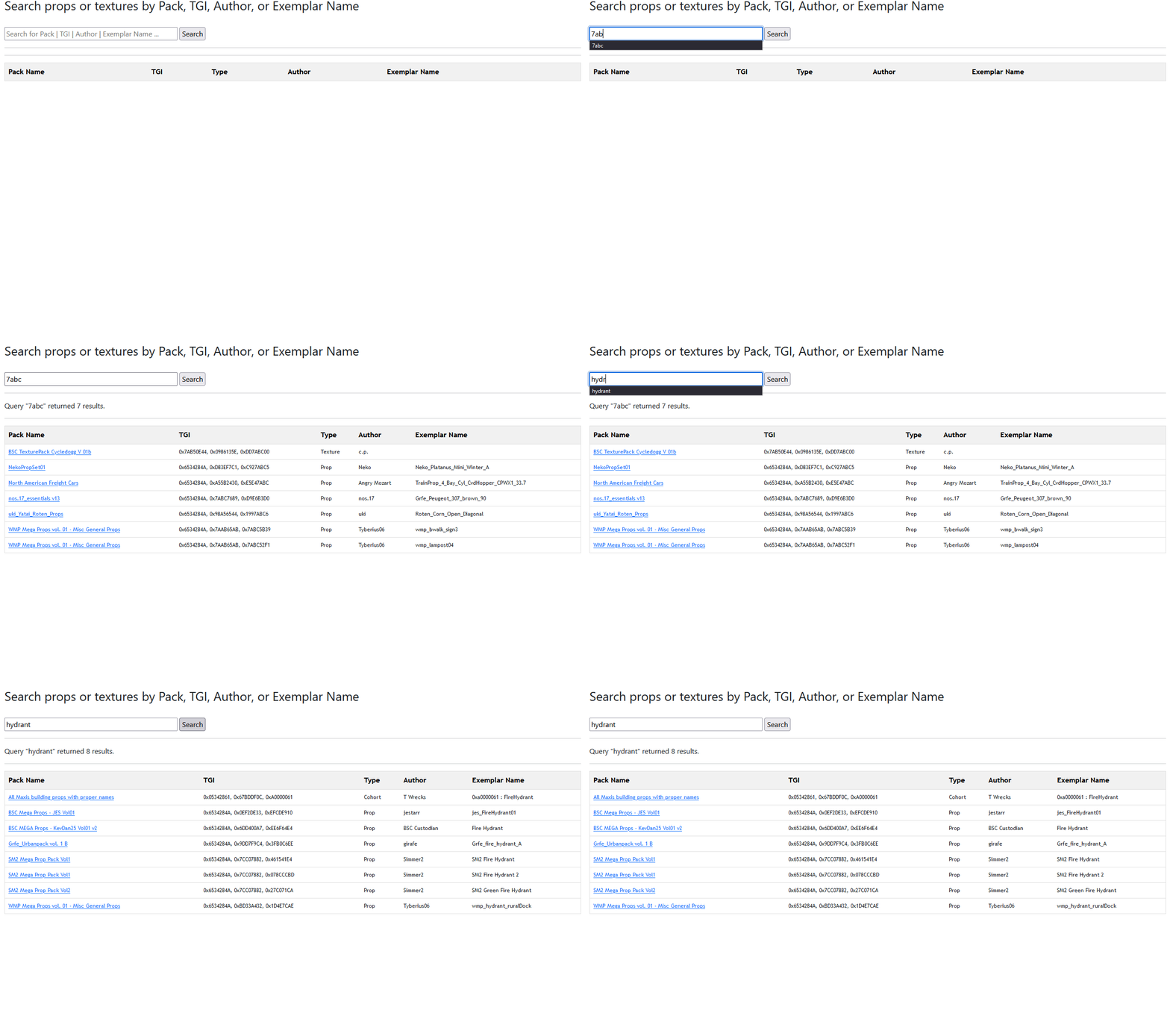
The YAML editor for sc4pac is an HTML/Javascript web application designed to assist users in writing metadata for sc4pac. Instead of writing the YAML metadata by hand, which is tedious and error prone, this application provides a series of forms for users, and they can see the YAML generated side-by-side.
The current version is hosted online at https://yamleditorforsc4pac.net/.
The site is framework-free, relying solely on vanilla HTML, CSS, and Javascript for its functionality and design. This was my most involved project involving Javascript to date, and AI tools (first, Copilot chat in the web, and later Github Copilot in VS Code) were very helpful in explaining and providing samples for using libraries whose documentation was not always the most helpful. The largest source of frustration was debugging the serialization and deserialization of the data between JSON and YAML, where I often ended up with plain JSON structures instead of the structure the YAML library expected - AI was extremely helpful in debugging these scenarios. AI was also helpful in brainstorming and providing ideas for how to structure the UI to enable users to make sense of and enter data for sometimes complex nested objects. While it was useful for the first pass, I often found that I needed to make multiple other passes over to massage the style or refine the underlying code to the standards I was expecting.
This was also the first of my projects that had received a substantial level of code contribution from a third party. This was a neat experience because the user, Zasco, was able to offer feedback on things like removing copied minified js libraries from my project directory and using CDNs instead, plus other things I was unfamiliar with as a new Javascript coder. Many of their ideas I did implement, but they also had large ideas for how to refractor the program that I didn't necessarily agree with, and I am glad that I pushed back on some of the recommendations to maintain my vision for both the code and interface as the long-term maintainer.